AIforCompanies
Platform tour · Broker Case Hub
One case, from introduction to payout.
A walk through Broker Case Hub on a fictional firm, Corvane Capital. Every screen is from the demo, with made-up clients, people and figures.
Part 1 of 3
Open the case
01
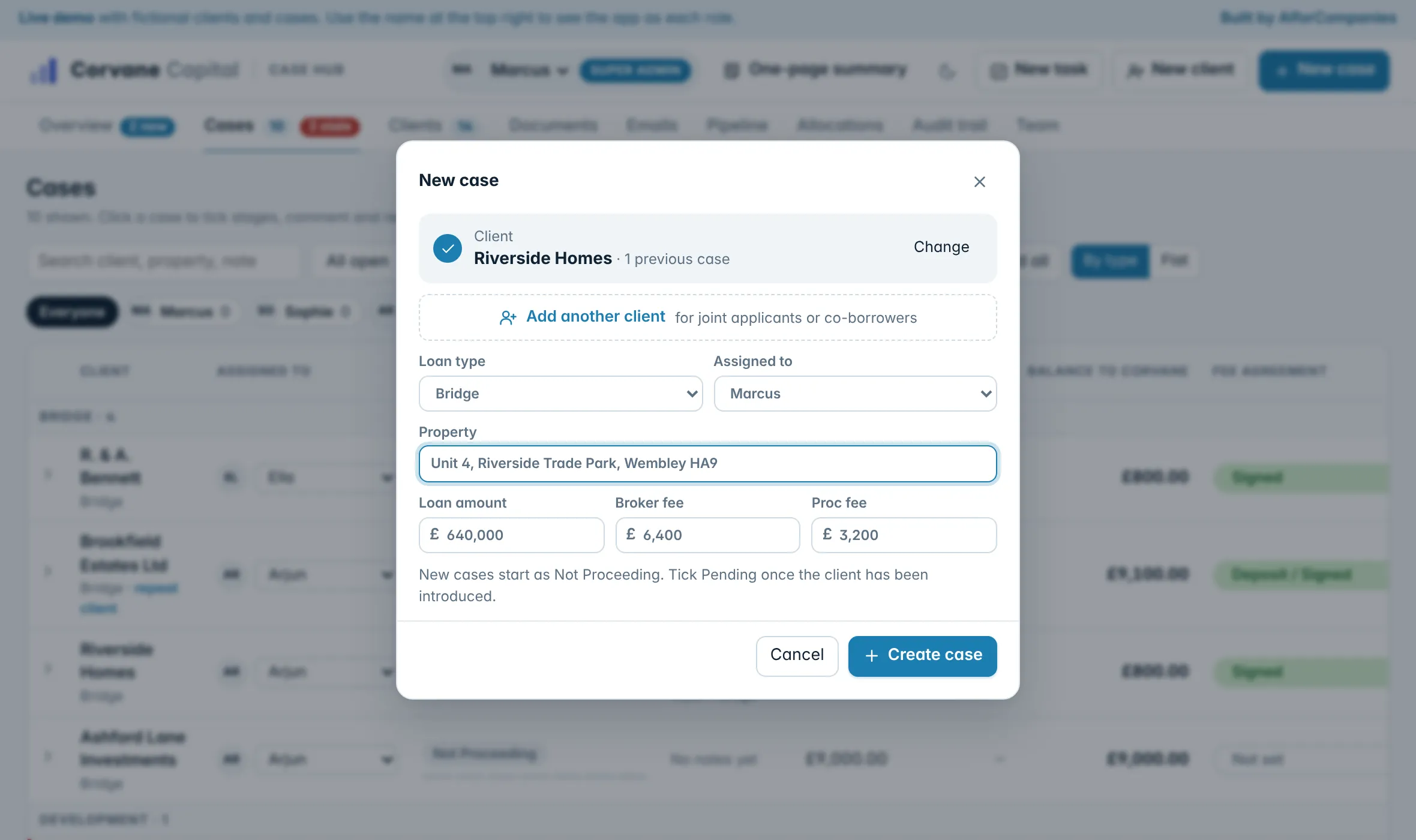
An introduction becomes a case
Pick the client, or add a new one, then the loan type, property and fees. If the client is already on file it says so, so a repeat customer keeps one record.
- A warning before a duplicate client is created
- Joint applicants on one case
- Assigned to a broker from the start
Part 2 of 3
Work the case
02
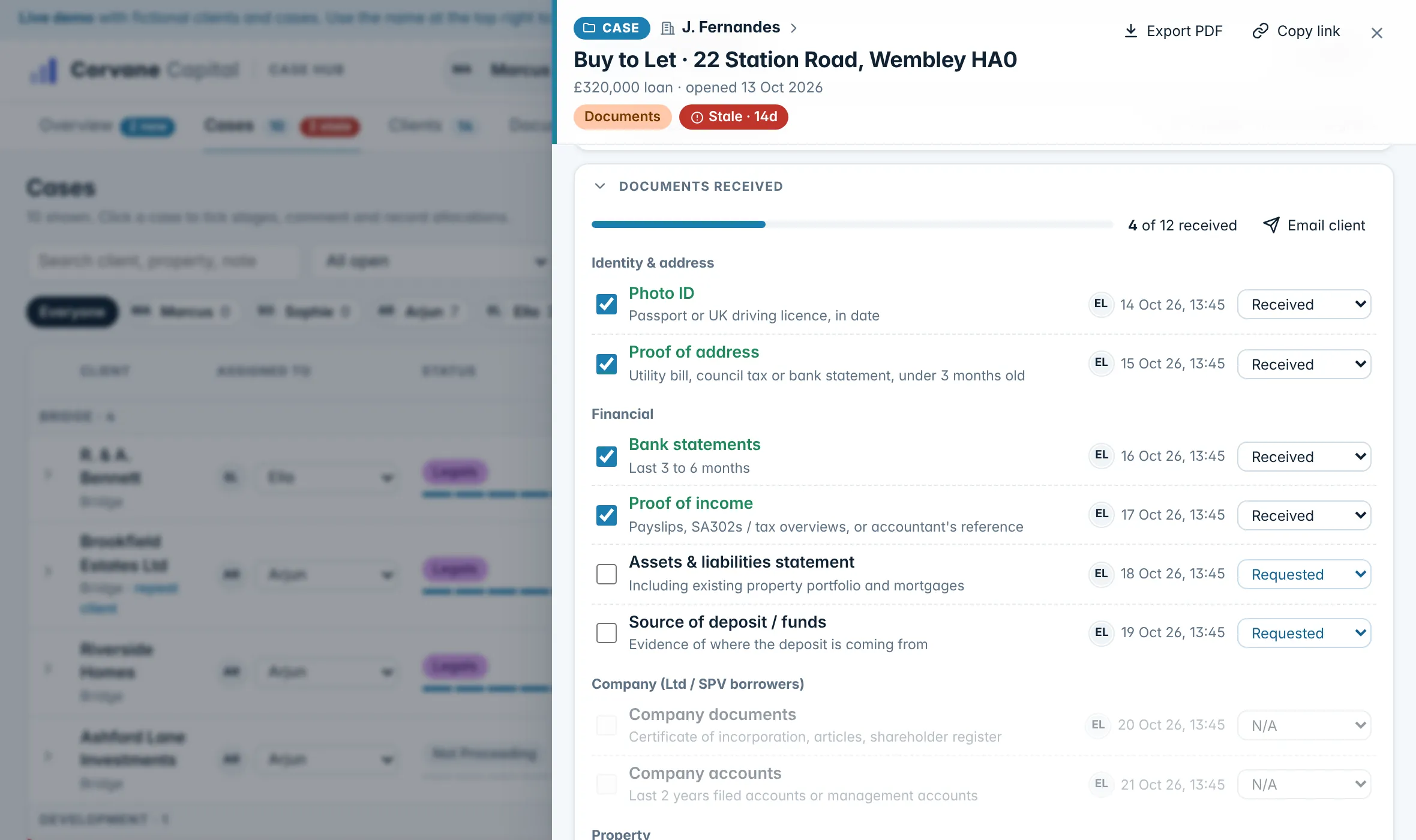
The lender pack, ticked off
Each case carries the documents a lender asks for, grouped into identity, finances, company, property and exit. Tick what has arrived, mark what does not apply, and the bar shows how close the pack is.
- Received, requested or not needed
- Files kept on the case, or a Google Drive folder linked to it
- Every tick shows who made it and when
03
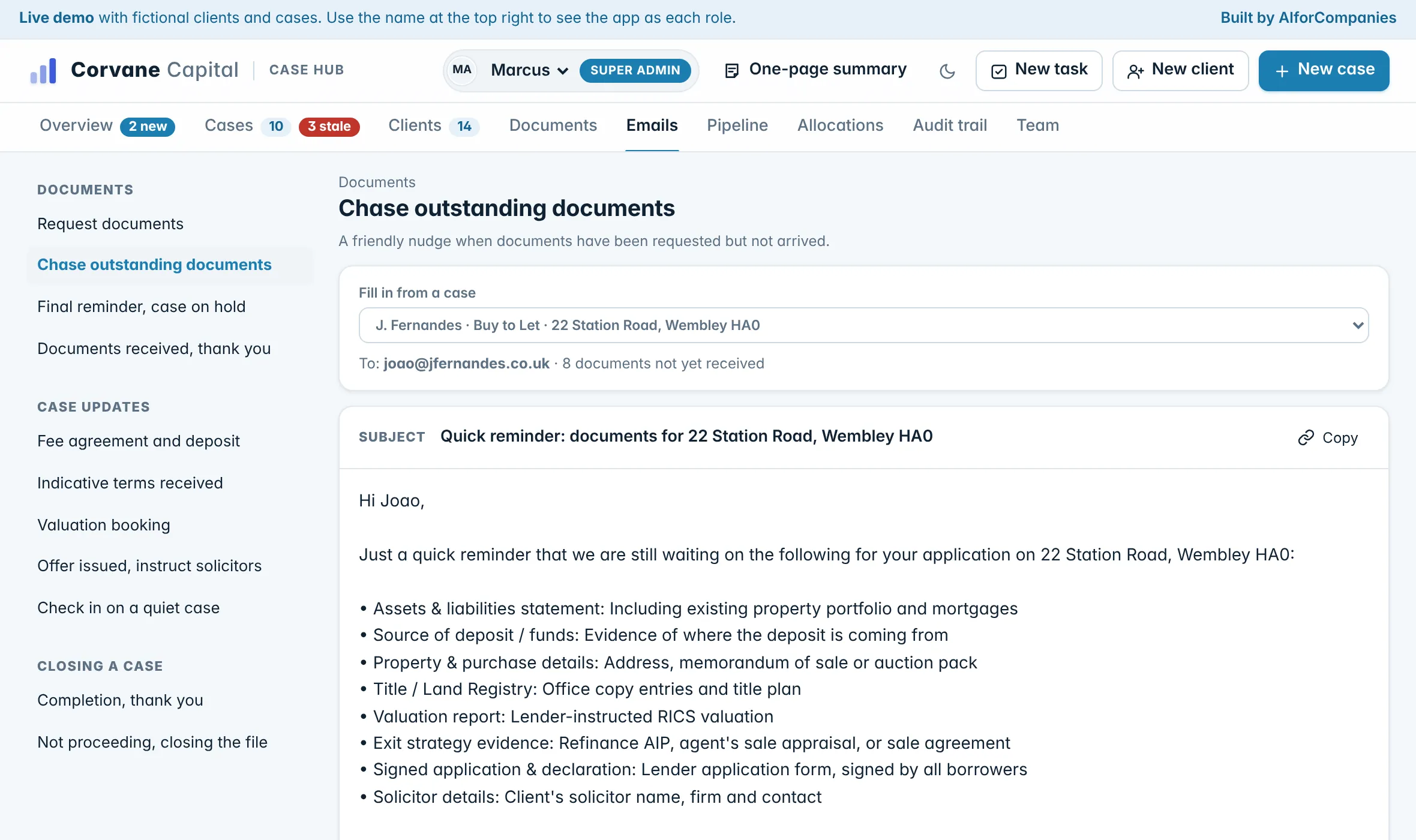
The chase email, written from the case
Eleven emails cover the life of a deal, from asking for documents to the thank-you on completion. Choose a case and the client’s name, the property and the documents still missing are filled in, ready to copy into your email.
- Chase, final reminder and a check-in for a quiet case
- Fee agreement, valuation booking and offer emails
- A completion email that asks for a referral
04
Every case on the stages you already use
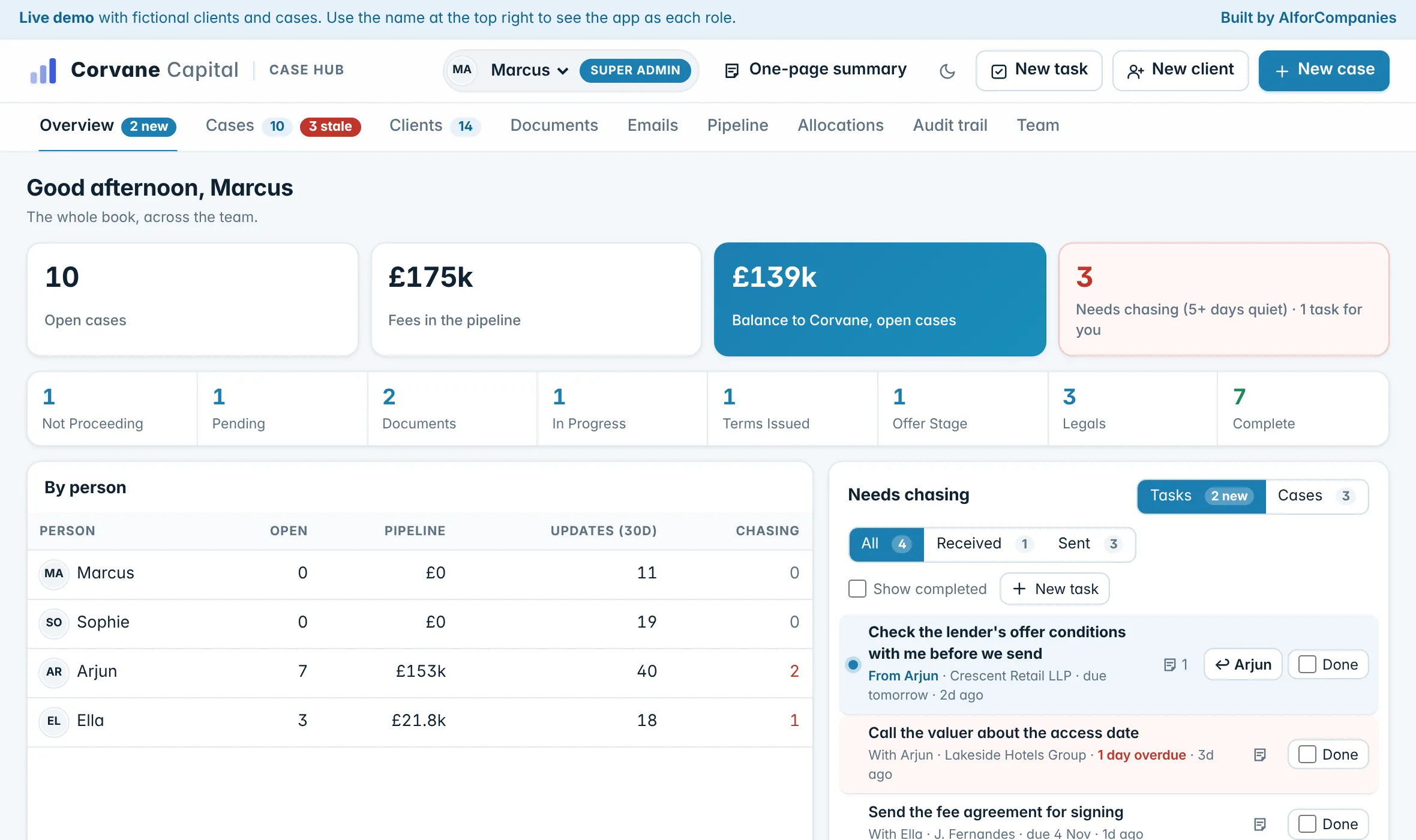
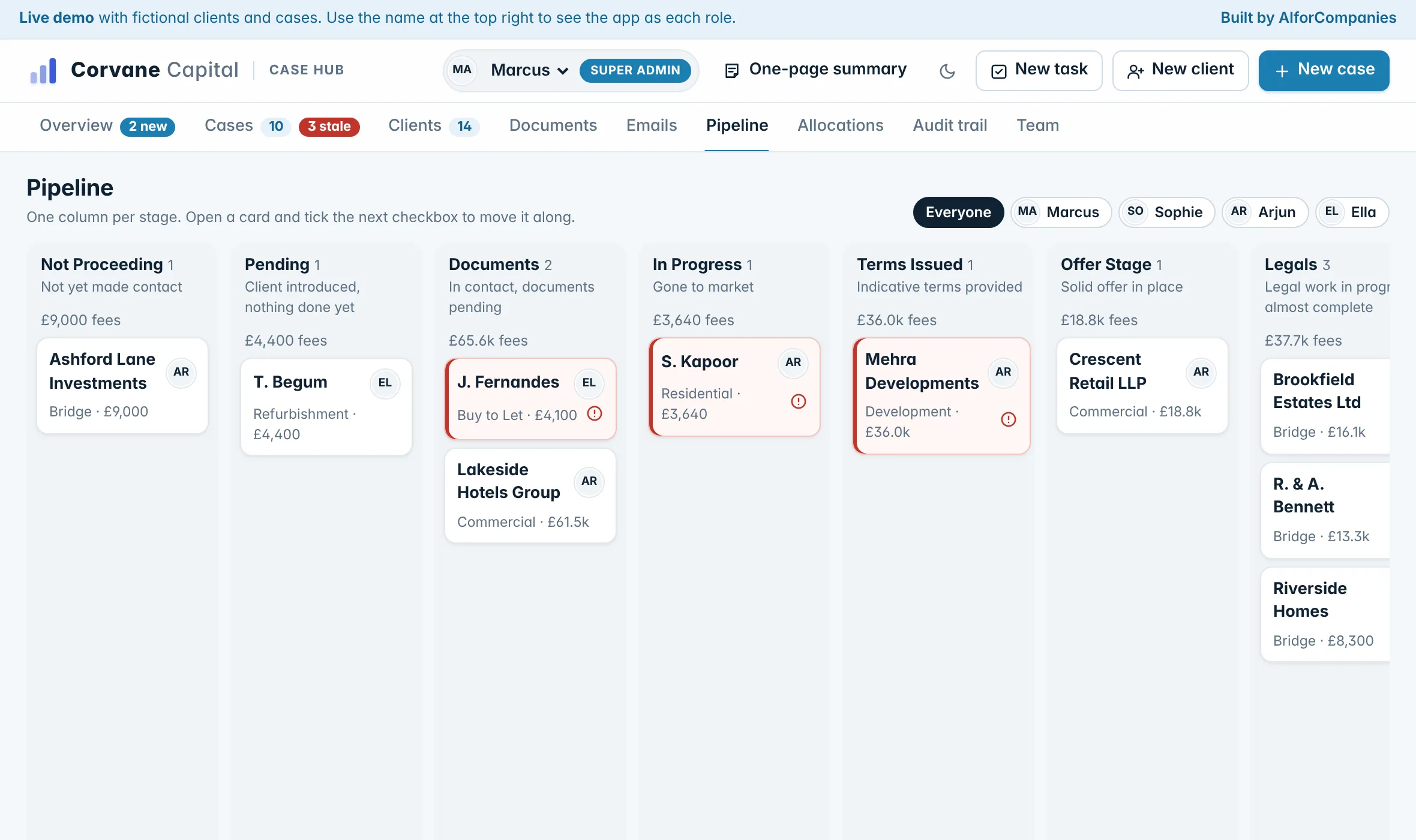
Eight stages, from first contact to completed and paid. Tick the next stage and the case moves along, stamped with who did it and when. The board shows the whole pipeline and the fees sitting in each stage.
- Stages agreed with your team
- One broker’s cases, or everyone’s
- Fees totalled per stage
05
Quiet cases come to the top
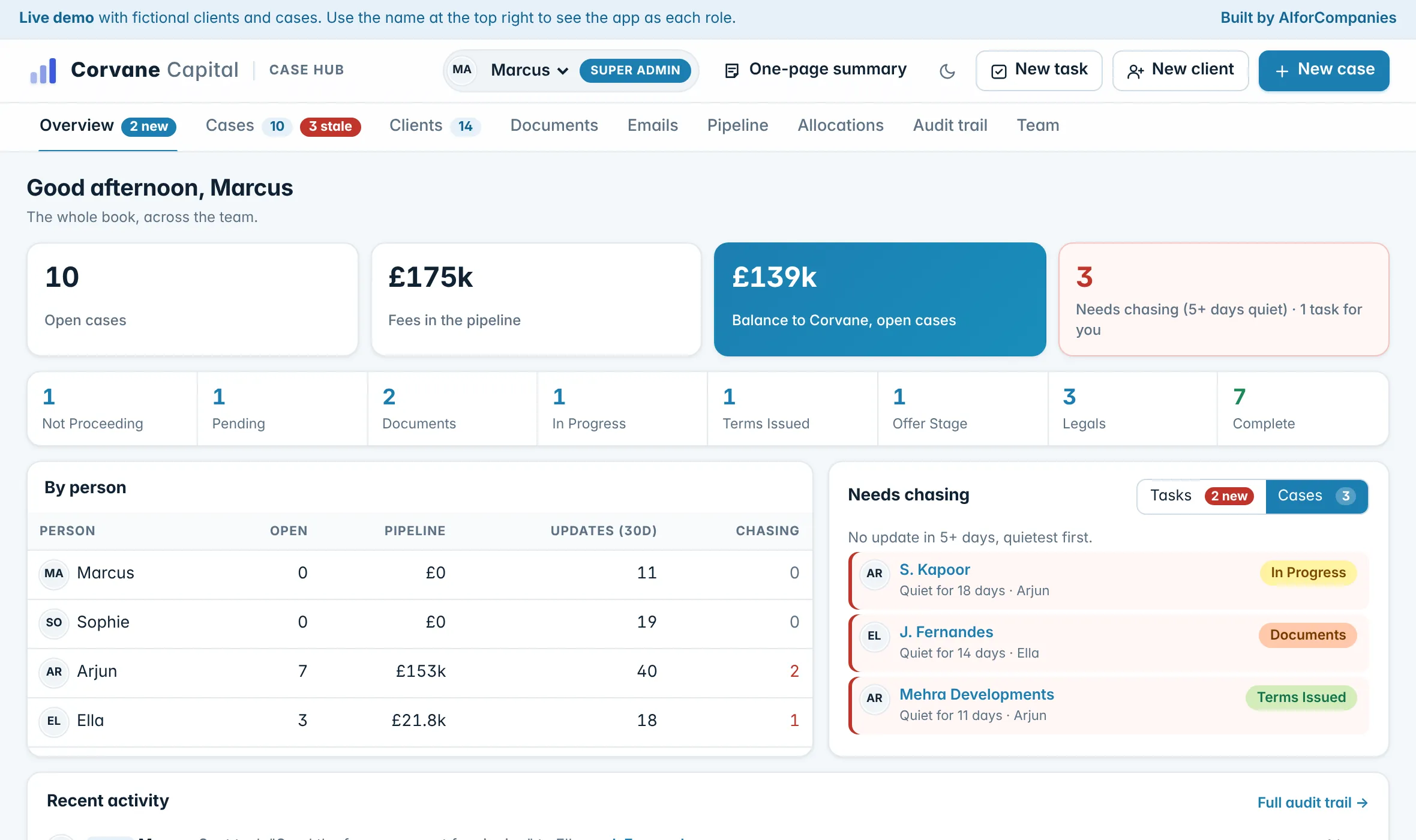
A case with no update for five days flags itself. It rises to Needs chasing on the overview, quietest first, turns red in the list and shows against the broker who owns it, until someone adds a note or moves it on.
- Quietest first, with the days since the last update
- Shown for each broker
- Clears as soon as the case moves
06
Hand over without losing the thread
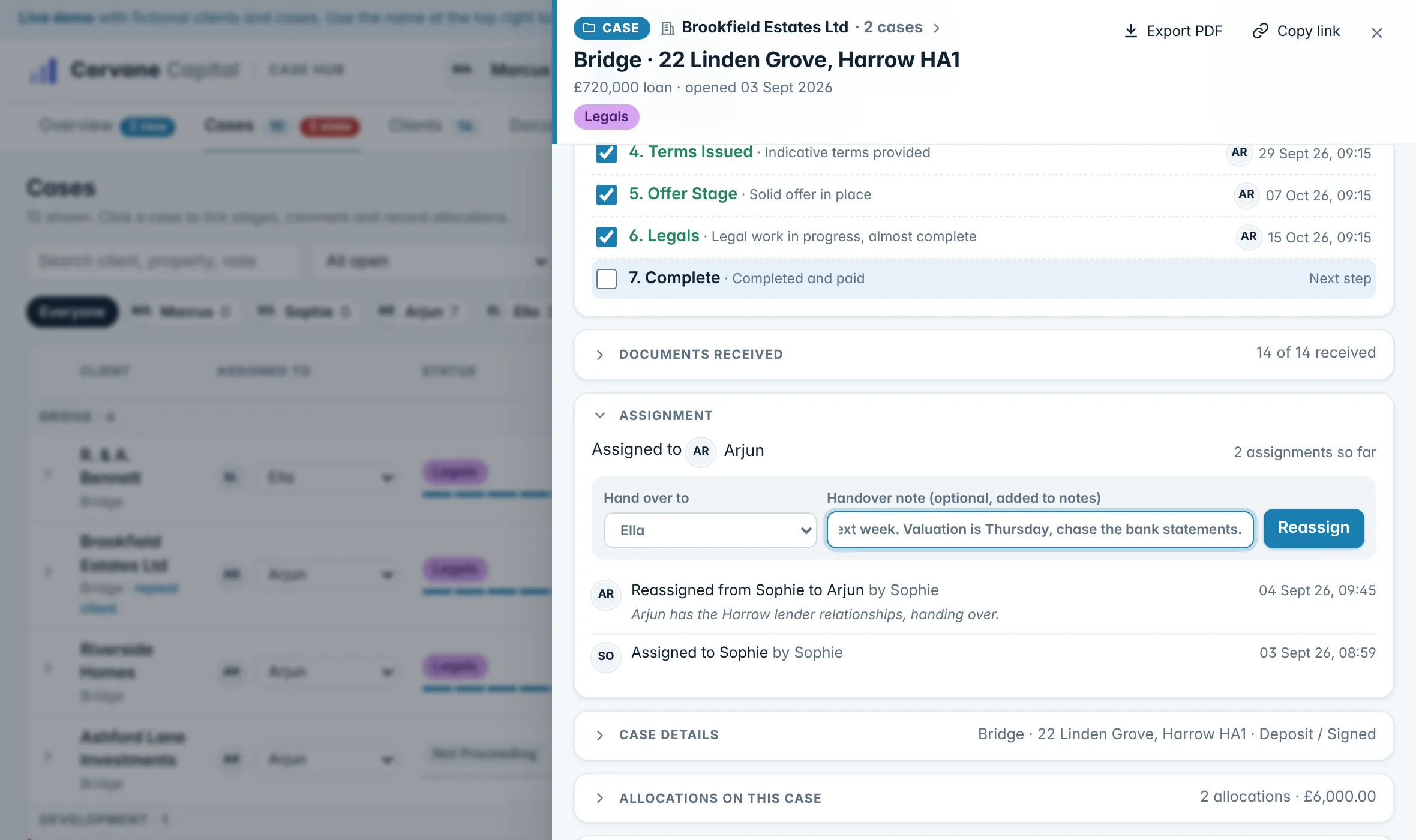
Reassign a case with a note for the person taking over. The note joins the case history, so whoever picks it up sees every call, document and decision before it.
- A handover note on every reassignment
- Notes are permanent: they cannot be edited or deleted
- Tasks between teammates, linked to the case
Part 3 of 3
Get paid and keep control
07
Fees and the balance on every deal
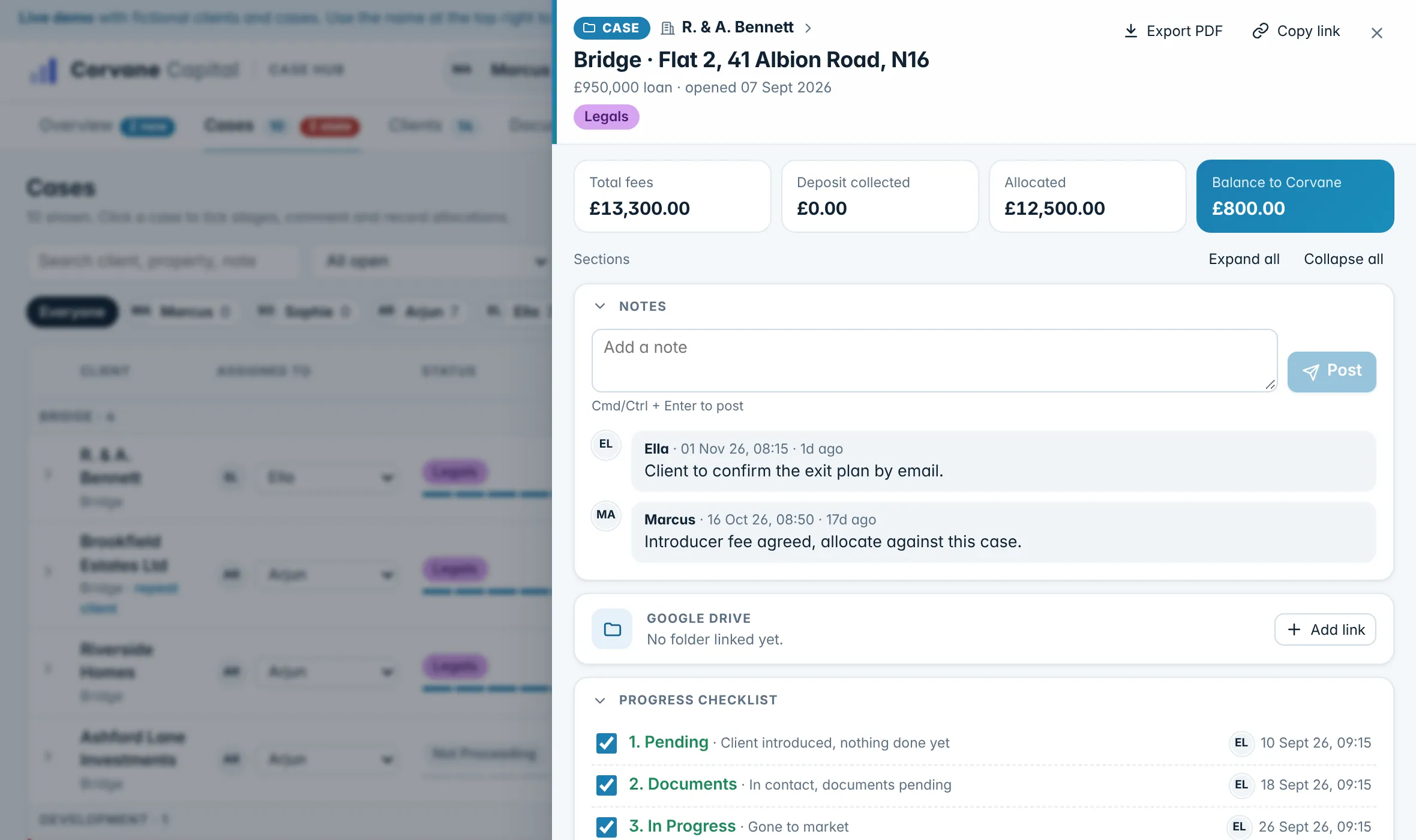
Each case shows the total fees, the deposit taken, what has been paid out against it and the balance left for the firm, worked out as you go.
- Broker fee and proc fee on every case
- Deposit and fee agreement tracked
- One click to a PDF of the whole case
08
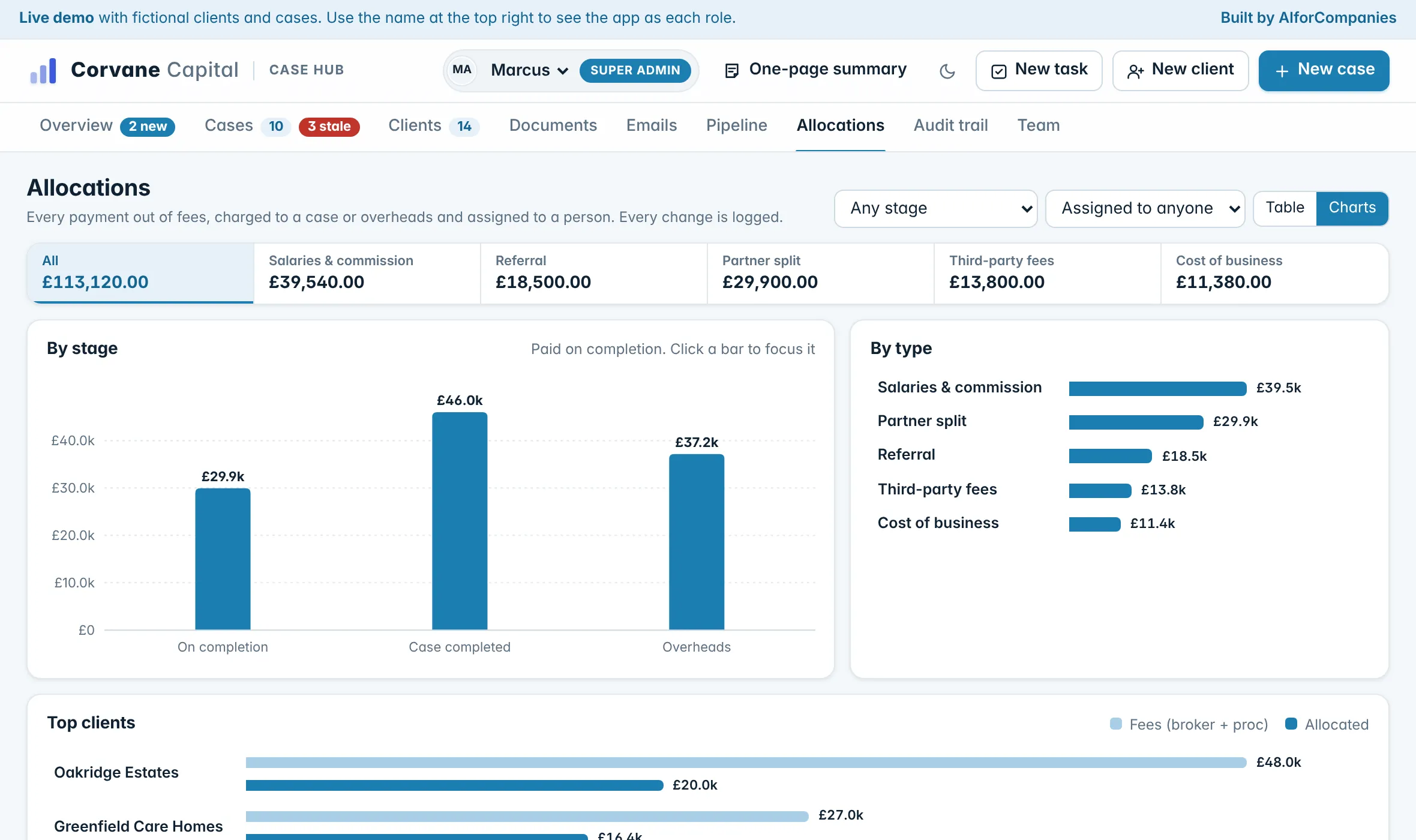
Every payout in one place
Commission, introducer fees, partner splits, valuations and overheads, each charged to a case or to overheads and assigned to a person. Move one to another case and the move is recorded on both.
- Totals by type, stage and client
- Pending, approved and paid
- Salaries seen only by admins and the person paid
09
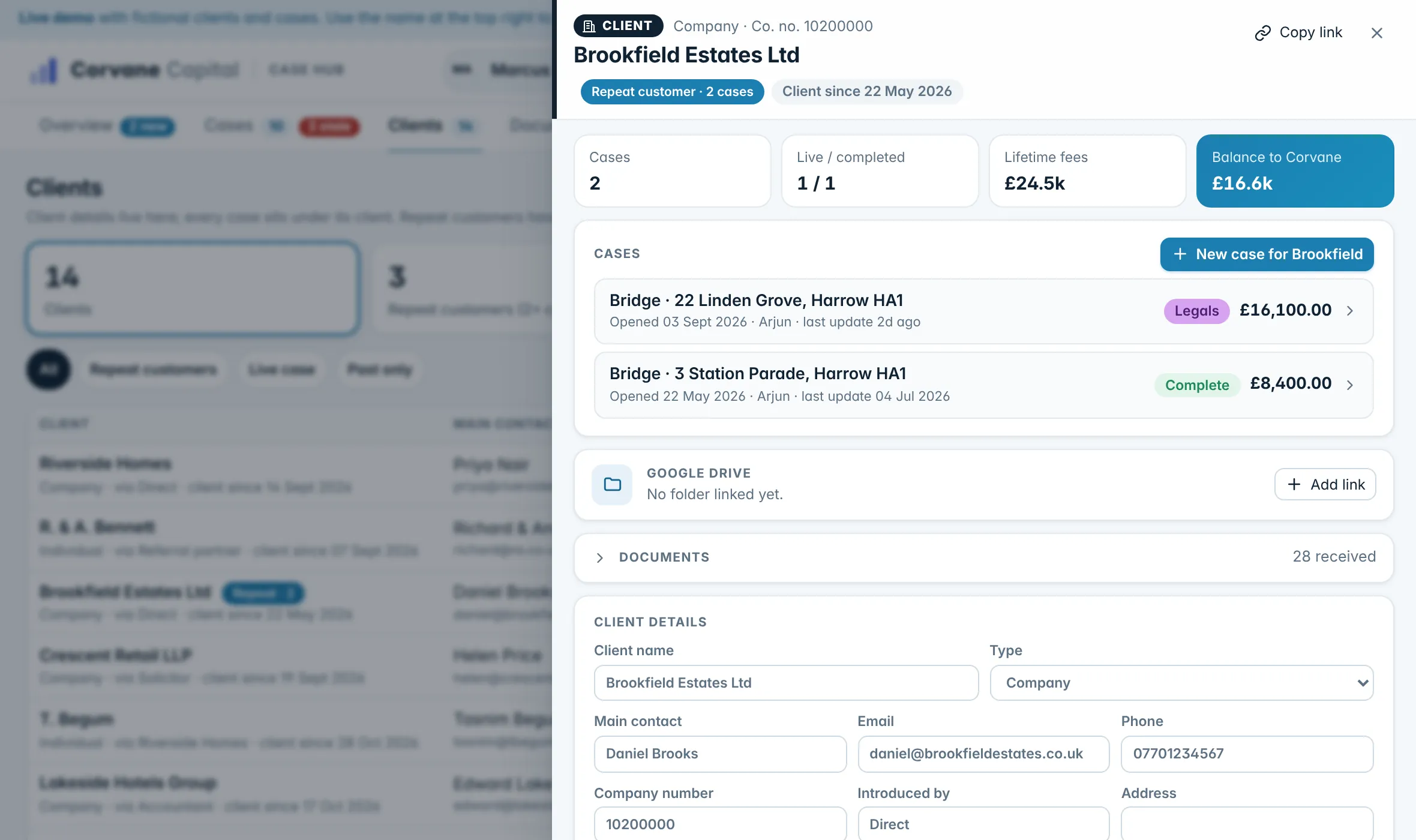
Clients who come back
Every case sits under a client, so you can see who brings repeat business, what they have earned the firm over time and which of their cases is live.
- Repeat customers and lifetime fees
- Who introduced them
- Every document and change for the client in one place
10
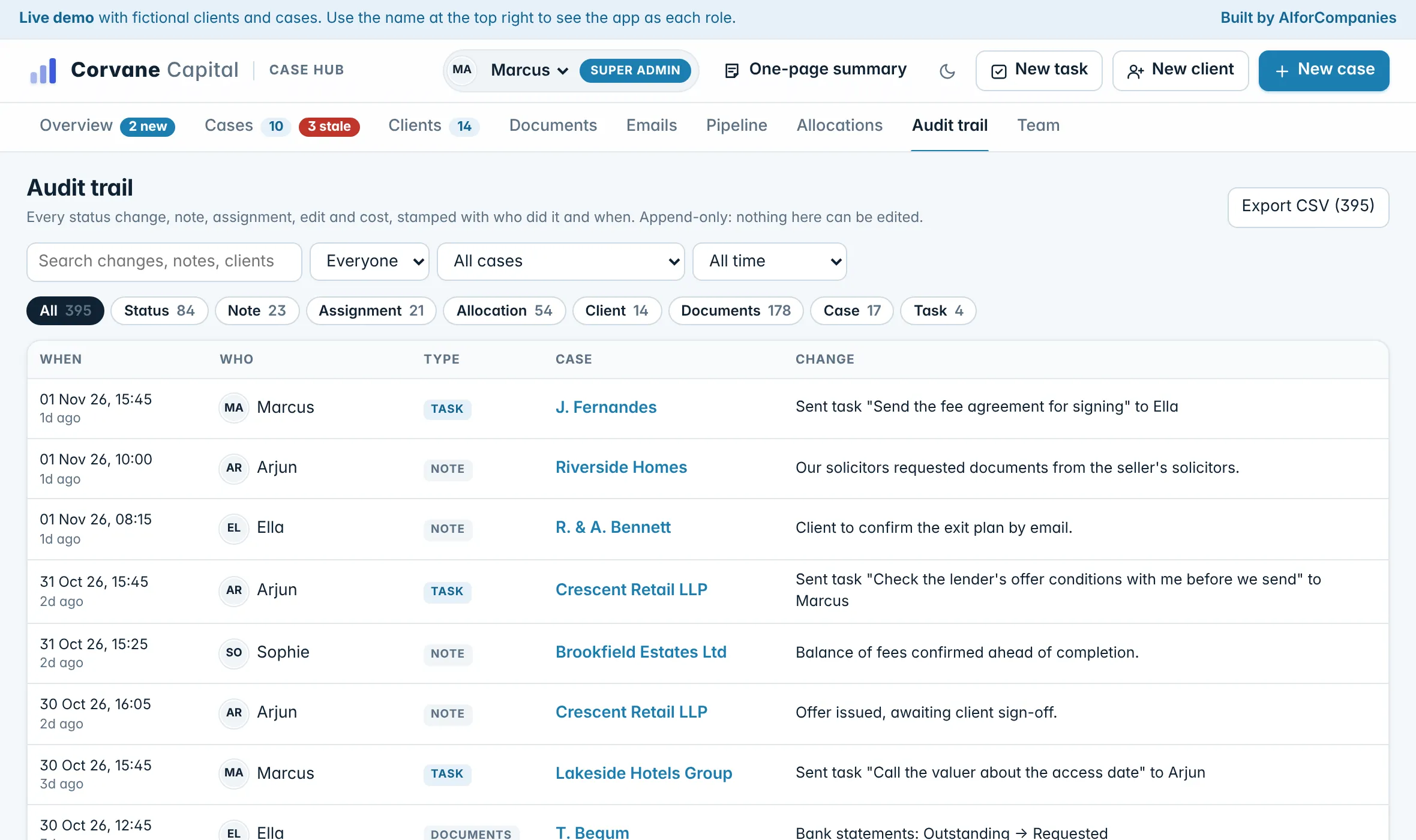
Every change on record
Each tick, note, handover, edit and payout is recorded with who made it and when. Nobody can edit or delete the record, and it exports to a spreadsheet.
- Search by person, case, type or date
- The history of one case or one client
- Export to a spreadsheet
11
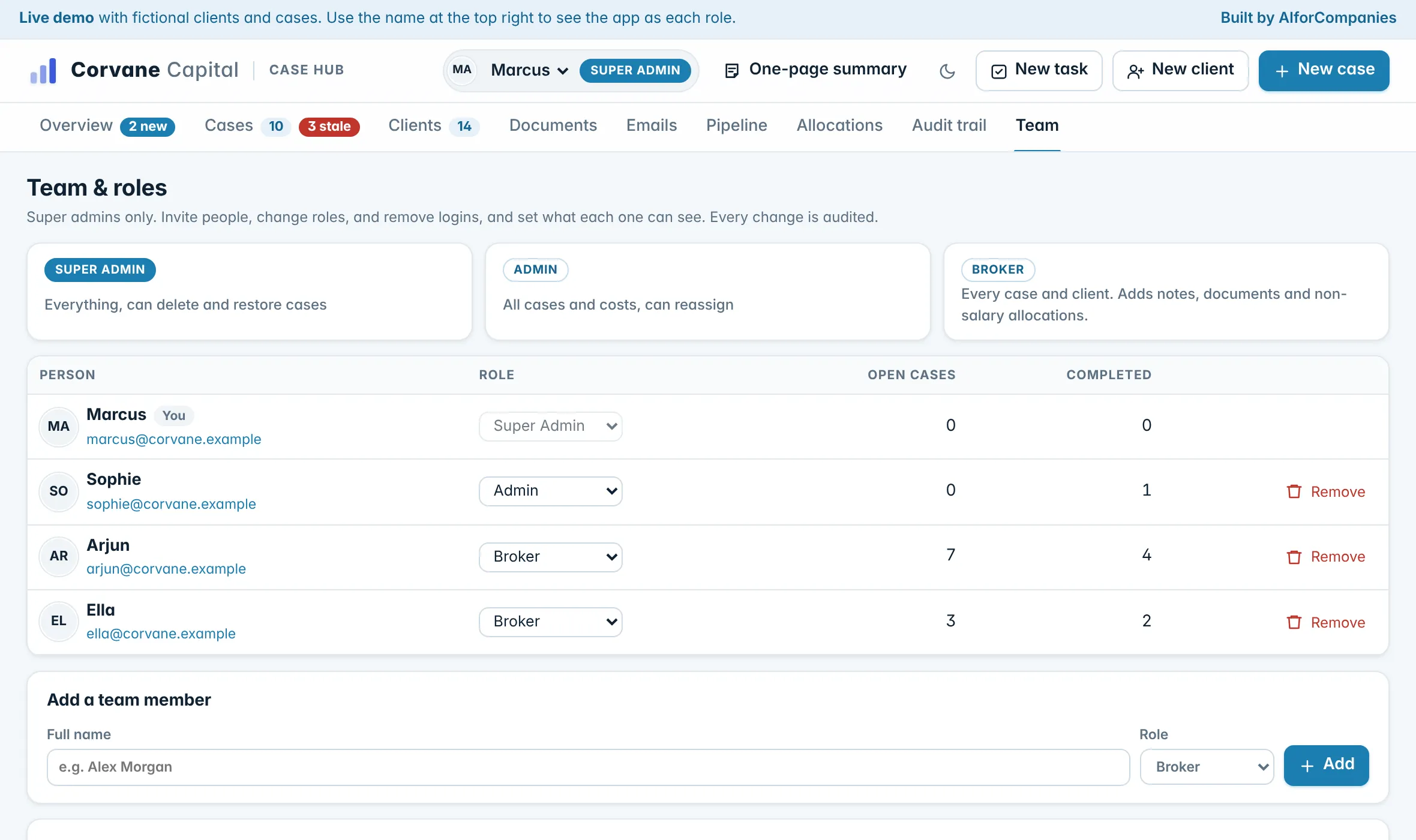
Each person sees what they should
Access is by invitation, and each person has a role: brokers work every case, admins also manage costs and reassign, and super admins invite people and can delete and restore a case.
- Invite, change a role or remove someone
- Removing someone keeps everything they did
- Shows who has signed in, never what they looked at
Every screen
What each part is for.
- Overview
- The whole book: open cases, fees in the pipeline, the balance due to the firm, what needs chasing, tasks and recent activity. Click any figure for the cases behind it.
- Cases
- Every case grouped by loan type, with its stage, latest note, fees and balance. Search, filter by broker and sort.
- A case
- Stages, notes, documents, fees, payouts, handovers and its own history, with a PDF of the lot in one click.
- Clients
- Every client with their cases, lifetime fees and who introduced them. Repeat customers marked.
- Documents
- Every document across every case, requested, received or uploaded. Click one to open the file or its case.
- Emails
- Eleven emails for the life of a deal, filled in from a case and ready to copy.
- Pipeline
- One column per stage, with the fees in each. Tick the next stage to move a case along.
- Allocations
- Every payment out of fees, by type, case and person, as a table or as charts.
- Audit trail
- Every change, who made it and when. Searchable, permanent and exportable.
- Team
- Invite people, set their role and see who has signed in. Super admins only.
Today, and on request
What it does on its own, and what we add on request.
In the demo today
- Flags a case after five days without an update
- Works out each case’s stage from its checklist
- Works out the fees, payouts and balance on every case
- Fills each email in from the case
- Adds every handover note to the case history
- Records every change with who made it and when
- Sends tasks to teammates and shows what is new
- Turns a whole case into a PDF in one click
On request
- Send the chase emails on a schedule, from your own inbox
- Read an uploaded ID or bank statement and tick the checklist, with a person checking
- Put lender and client replies onto the right case
- A Monday email to the owner: what moved, what is quiet and what is due to complete
- Connect the software you already use for sourcing or accounts
- Anything particular to your firm: a report, a rule, a step in the deal
None of these are in the demo. Integrations and changes are added on request: we talk them through and scope them with you, with AI where it does the job better. Bringing your current cases, clients and documents across from your spreadsheets or CRM is part of the setup, and its cost is agreed in the proposal.
See it with your own cases in mind.
Click through the demo as each role, or talk to us about how your team works a deal.
Demo on a fictional firm. Every client, person and figure in it is made up.